Solitaire Master!
- 4.6
- Rating
- 5.00M
- Installs
- Free
- Price
 Analysis by App-foxy
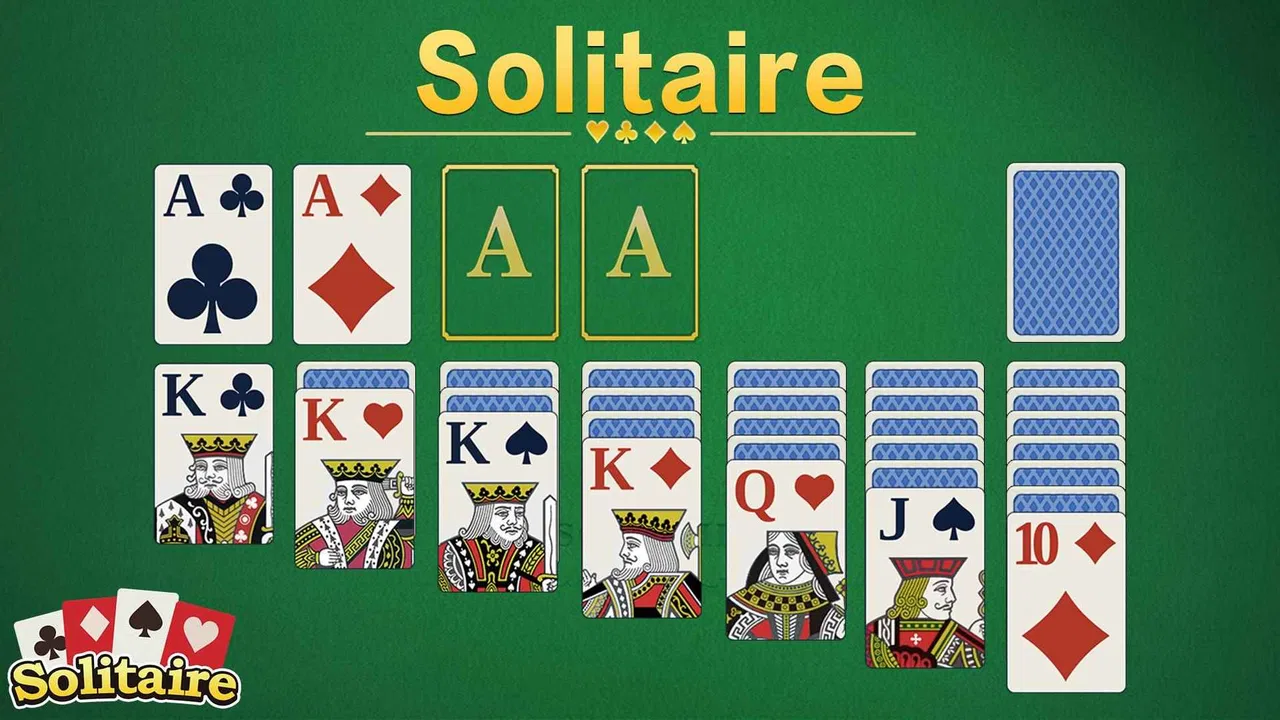
I spent time with Solitaire Master as a simple card game for short breaks, and its appeal became clear quite quickly: it asks very little from you before a game begins. Developed by HungryStudio, it sits in the classic solitaire category rather than trying to turn a familiar pastime into a complicated social or competitive experience. That makes it easy to pick up, although it also means the experience depends heavily on whether you enjoy the traditional rhythm of planning, revealing cards, and accepting an occasional unlucky deal.
The game is free and rated for Everyone, so it is an approachable choice for a shared family device or for someone who wants a quiet brain-training activity without learning a large rule set. It was released on July 28, 2023, and the current version is 3.4.5. On Android, it requires version 6.0 or later. Those details matter most when a player is unsure whether an older phone or tablet can run it comfortably.
Getting past the first points of friction
The first place people can get stuck is not necessarily inside a card layout. It is often the basic expectation of what this game should be. The name and store summary point toward classic solitaire, so I approached it as a focused single-player card game rather than a broad collection of unrelated activities. If you are looking for multiplayer matches, a story campaign, or a deep deck-building system, this is probably the wrong download. Its strength is the familiar solitaire loop, not variety for its own sake.
You May Also Like

 Blood Strike: 2.5 Anniversary
Blood Strike’s Loadouts Turn Every Drop Into a Tactical Gamble
A close look at Blood Strike’s custom loadouts: how fast access to signature weapons reshapes its battle royale rhythm, rewards preparation, and narrows the gap between fights.

 Pandora - Music & Podcasts
Pandora’s Music Is Easy to Start, but Harder to Recover
Pandora’s strength is its low-effort path from a seed to a station. Its weak spot is how much confidence it asks you to place in connection, setup, and quiet recovery.

 8 Ball Pool
 Is Built on Rivalries, Rematches, and Routine
A close look at the rivalries, rematches, shared routines, and unanswered safety questions that turn a quick pool match into a persistent mobile community.

 Samsung Music
’s Quiet Strength Is Playing What You Already Own
Its reach comes less from spectacle than from dependable access to a personal library. That simplicity is both the app’s strongest retention engine and its ceiling.

 AccuWeather: Weather Radar
AccuWeather Review: A Quick, Clear Forecast for Everyday Decisions
For everyday plans, the best forecast is the one you can understand quickly. AccuWeather makes rain timing, radar, and local conditions easy to act on, with a few trade-offs.

 Hill Climb Racing
Why Hill Climb Racing Still Turns Crashes Into One More Run
A tiny car, a bumpy hill and one more upgrade: Hill Climb Racing keeps resurfacing because its simple chaos makes every near-miss feel personal.
More From Our News Desk



That distinction also helps with the first launch. I recommend treating the opening session as a quick test rather than immediately judging the whole game. Start one deal, check that the cards respond properly to your taps or gestures, and make sure the display is comfortable in the orientation you normally use. A small screen can make card stacks feel crowded, especially when text or symbols are scaled down, so a tablet may be preferable for older players or anyone with reduced vision.
Another common source of confusion is assuming that every difficult deal is a technical problem. Solitaire can produce situations where the next useful card is buried behind several choices, and a player may feel that a move failed because the game did not respond. Before restarting, I look closely at whether the selected card is actually available and whether the intended destination follows the rules of the current layout. A short pause is useful here: it separates an invalid move from a missed tap.
The most useful first check is simple: confirm the game is receiving the exact card action you intended before changing anything else. On a small display, tapping near the edge of a stack can be less reliable than tapping the center of the visible card. If a move seems ignored, I try again with a deliberate tap rather than rapidly repeating the same gesture.
What I check before blaming the game
When a card game feels unresponsive, I use a short routine. I close other demanding apps, reopen the game, and try a fresh deal. I also check whether the device has enough free storage for normal operation and whether the operating system meets the Android requirement. These are ordinary maintenance steps, but they prevent a surprisingly common mistake: treating an aging device or a temporary system slowdown as a Solitaire Master problem.
I would also avoid testing the game while the phone is already overheating, heavily updating other apps, or struggling with a nearly full battery. A lightweight card game should not normally place the same demands on a device as a modern 3D title, but an overloaded phone can still make taps feel delayed. Restarting the device is occasionally more effective than repeatedly reinstalling one app.
For someone setting it up on a family tablet, I would do the first check with the person who will actually play. Confirm that the cards are readable, that accidental touches are not common, and that the player understands how to select and move cards. This is more practical than assuming the default display will suit everyone. A game can be technically accessible while still feeling uncomfortable if the card faces are too small for the player.
The store figures suggest that the game has reached a broad audience: it has passed five million installs, with an average rating of 4.6 from roughly fifty-five thousand ratings. I see that as useful context rather than a guarantee. A popular solitaire game can still be a poor fit for someone who wants advanced statistics, unusual variants, or a highly customizable interface. Popularity tells me that the basic idea works for many people; it does not remove the need to check whether the presentation suits you.
How I use it when a session goes wrong
My preferred workflow is deliberately conservative. I scan the tableau before moving anything, identify cards that can reveal hidden cards, and avoid spending a useful move simply because it is immediately available. That habit makes the game feel more like a small planning exercise than random tapping. It also gives me a way to tell whether a disappointing result came from the deal or from my own sequence of choices.
When I reach a position that appears blocked, I do not instantly abandon it. First I retrace the last few moves mentally and look for a card that was moved too early. In solitaire, an apparently harmless move can cover the only route to a needed card. If the game offers a way to undo an action in the version I am using, that is the point where I would use it carefully rather than repeatedly experimenting. I am keeping this as a decision aid, not treating undo as a substitute for planning.
If the interface appears to have lost my place, I return to the current deal instead of tapping across several piles. A slow, single action is easier to interpret than a sequence of hurried commands. If the layout still behaves strangely, I close and reopen the app, then test a new deal. That separates a temporary session issue from a repeatable problem with a particular action.
One practical tip is to stop playing for a moment when frustration rises. Solitaire is often used during commutes, waiting rooms, or between tasks, and those are precisely the situations where attention is divided. I have found that a thirty-second reset prevents careless moves better than forcing a nearly finished game. The app works best as a calm break, not as a test of endurance.
There is also a useful distinction between recovery and progress. If I lose a deal, I treat the next attempt as a chance to change the order of decisions rather than simply replaying the same taps. That makes the game more valuable for concentration. If your goal is only to win as quickly as possible, a more stats-heavy solitaire alternative may offer better motivation. If your goal is to exercise patience and pattern recognition in small sessions, this straightforward format is easier to live with.
Everyday situations where it makes sense
A realistic use case is a ten-minute gap before an appointment. I can start a deal, play without sound or social pressure, and stop when the appointment is called. There is no need to organize a group or remember a complicated story. The same works during a short evening wind-down, although I would avoid turning it into an automatic late-night habit if screen time affects your sleep.
It can also suit an older relative who already knows traditional solitaire. I would set it up on a larger screen, demonstrate one deal, and watch for whether the card movement feels natural. The familiar rules lower the learning barrier, but the small details of touch interaction still matter. For a child, the Everyone rating makes the content broadly suitable, yet I would still choose it for quiet play rather than expecting it to provide the colorful rewards or rapid variety found in many children’s games.
On the other hand, I would skip it if you need a strong reason to return every day beyond the game itself. Some players want missions, leaderboards, changing challenges, or a large menu of variants. A classic solitaire experience can feel repetitive to them after the initial novelty fades. I would also choose another option if offline continuity, detailed performance history, or extensive visual controls is central to your decision and those elements are non-negotiable.
When the app is not the actual cause
It is easy to blame a card game when a move does not work, but several outside factors can create the same impression. A screen protector, damp fingers, a cracked touch panel, or a phone case that overlaps the display can all affect taps. If other apps also miss touches in the same area, the evidence points toward the device rather than the game. Cleaning the screen and testing without the case can quickly narrow that down.
Display scaling is another overlooked issue. If the system enlarges text or interface elements, the usable space may feel different from what the game expects. I would not change accessibility settings blindly, especially on a shared device. Instead, I would compare the card layout with another app and ask whether the problem is readability, touch accuracy, or both. Each calls for a different adjustment.
Performance problems can also come from the phone itself. An older device running many background tasks may delay animations or taps, while a newer device with a temporary system process may behave normally after a restart. Because this is a card game rather than a graphics-intensive action title, persistent severe lag across fresh deals would be unusual enough to test on another device if one is available. That comparison is more informative than repeatedly clearing the same session.
Network assumptions can cause needless concern too. A player may see a delay elsewhere on the phone and assume the card game needs the same connection. I focus first on what happens inside a new deal and whether ordinary card actions respond. If the core play works while another part of the phone is having connectivity trouble, the two issues may be unrelated. I avoid promising a particular offline behavior because the important practical test is whether the session you need actually starts and remains usable in your environment.
Reinstallation should be a later step, not the first one. It can remove the immediate session state and may not solve a device-wide touch or performance problem. Before using it, I make sure I understand what I may lose from the current session and confirm that the phone can install the current version. For a casual solitaire game, a clean restart is reasonable when basic checks fail, but it should follow diagnosis rather than replace it.
How it compares with familiar alternatives
Compared with physical playing cards, this app wins on convenience. I do not need a table, a deck, or enough space to lay out several piles. The trade-off is that the screen becomes part of the experience: touch accuracy, readability, battery condition, and device comfort matter in a way they do not with paper cards.
Compared with a more elaborate digital solitaire package, Solitaire Master feels easier to approach but potentially less satisfying for specialists. A larger alternative may provide more variants, richer customization, or deeper records of past games. That can be worthwhile for a dedicated player who wants to study performance. For me, the simpler approach is better when I want to open a game quickly and concentrate on the layout instead of configuring a large system.
It also differs from competitive card games. There is no need to wait for another player, manage a social profile, or learn a changing opponent meta. That makes it a better fit for private, low-pressure play. The downside is that people who thrive on competition may find the experience too solitary. Choosing between them comes down to whether the card layout itself is the entertainment or merely a vehicle for competition.
The free price removes the biggest barrier to trying it, but it does not automatically make it the best choice for every player. I would install it when I want a familiar card break with minimal setup. I would look elsewhere when I want a carefully measured training program, a large catalogue of variants, or a strong long-term progression system. That is not a criticism of the game so much as a clear boundary around its purpose.
My practical verdict after using it
Solitaire Master is a sensible recommendation for anyone who wants a traditional card game that can fit into short, quiet sessions. HungryStudio keeps the central idea recognizable, and the Everyone rating plus the broad Android compatibility make it approachable for many households. The high average rating and large install base support the impression that its basic format connects with a lot of players, while the free entry makes testing it low risk.
My strongest advice is to judge it after a few properly controlled sessions, not after one frustrating deal. Check the display, use deliberate taps, and separate an unwinnable or poorly planned position from a genuine response problem. Those small habits make the experience smoother and also reveal whether you actually enjoy classic solitaire rather than simply liking the idea of a free card game.
I would recommend it to casual players, newcomers, families sharing an older compatible device, and anyone who wants a familiar mental pause without multiplayer pressure. I would hesitate for users who need extensive customization, advanced records, many different solitaire formats, or a strong competitive layer. For those people, a specialized alternative will probably offer more lasting value.
For my own use, the best role for it is modest: a dependable few minutes of focused play between larger tasks. It does not need to become a major hobby to be worthwhile. As long as you approach it for that focused, classic-card experience and keep the basic setup checks in mind, Solitaire Master is an easy free game to try and a comfortable choice for low-pressure solitaire sessions.
FAQs for Solitaire Master!
01What is Solitaire Master!?
Solitaire Master! is a feature-rich card game app that brings the classic solitaire experience to your mobile device. It offers various solitaire variations, including Klondike, Spider, and FreeCell, each with customizable settings. The app is designed for both casual players and solitaire enthusiasts, providing smooth gameplay and engaging challenges.
02Is Solitaire Master! free to download and play?
Yes, Solitaire Master! is free to download and play on both Android and iOS devices. The app includes optional in-app purchases that allow you to unlock additional features, remove ads, or acquire extra game modes. However, the core gameplay remains accessible without any payments.
03Does Solitaire Master! require an internet connection?
No, Solitaire Master! does not require an internet connection to play. You can enjoy the game offline, making it perfect for playing during commutes or when you have limited connectivity. However, an internet connection is necessary for downloading updates or accessing online leaderboards.
04What are the main features of Solitaire Master!?
Solitaire Master! boasts a variety of features, including multiple solitaire variations, daily challenges, customizable themes, and smooth animations. The app also offers hints and undo options to enhance your gameplay. Additionally, you can track your statistics and compete with others through global leaderboards.
05Is Solitaire Master! suitable for all ages?
Yes, Solitaire Master! is suitable for players of all ages. Its simple yet strategic gameplay makes it a fun and educational tool for improving concentration and problem-solving skills. The app's user-friendly interface ensures that players, young and old, can enjoy the game seamlessly.
Pros
- Smooth gameplay and intuitive controls.
- Wide variety of solitaire variations.
- Daily challenges keep it engaging.
- Offline play mode available.
- Minimal ads for a free app.
Cons
- Limited customization options.
- Occasional app crashes reported.
- No multiplayer mode available.
- Some features locked behind paywall.
- In-app purchases can be pricey.

Solitaire Master!
Gallery